Live Tote
The Live Tote feature is open to Wizards' Membership and Wizards' Premium Unlimited members only.
To display real-time win odds, first ensure that you are logged in to your Membership account within ValueCapper or Black Magic. If the user icon is not solid black, it means you are not logged in. Click on the user icon and select "Log In" to continue.
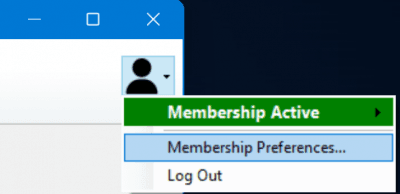
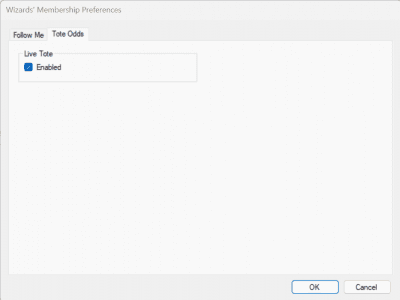
Once logged in, select Membership Preferences. This will display the Membership Preferences dialog. Under its Tote Odds tab, check the Enabled box:
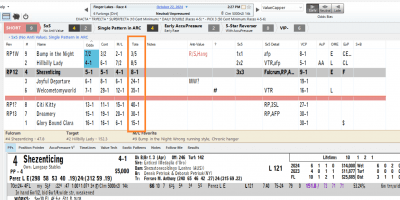
The odds will be displayed in the Summary Grid, under the "Tote" column; they will also be shown in the ValueTech tab and updated automatically. Most tracks are available, though there are a handful of smaller circuits which are not. If the Tote column is showing blanks, it is likely that particular track is unavailable.
Important Notes
Due to the nature of the tote and how the odds are disseminated, you may sometimes see small discrepancies between what's displayed on your screen and what's shown by the track's video feed. Many tracks will update each runner's odds individually in "real-time". Our implementation, however, is limited to updating every 60 seconds. This is usually not a big issue, but please be aware that this can happen. Smaller tracks with smaller pools are more susceptible to this as it doesn't take a lot of money to quickly move the odds in one direction or another. The program will catch up, it just might take a minute or so to see it.
Questions?
If you have questions about using the Live Tote Odds feature or need assistance, please contact our support team.